Modify and customize your Android apps
apk editor community is a free development app that allows users to edit and modify the APK files of other apps that are installed on their devices. This source editor from DeviDot includes a range of features that enable users to customize and personalize Android apps on their devices according to their preferences.
Top Recommended Alternative

With apk editor community, users can easily alter the functionality of an app, change its layout, or even remove unwanted permissions from the app. Similar apps to this include APK Editor and Apk Editor Pro: Apk Extractor & Installer.
App personalization at your fingertips
Primarily, apk editor community provides users the ability to decompile, edit, and recompile APK files. It allows them to make changes to the functionality, appearance, or behavior, giving them the power to optimize their mobile experience without needing access to the source code. The app is also equipped with tools for debugging, signing, and analyzing APK files, which are especially useful for apps that require frequent troubleshooting.
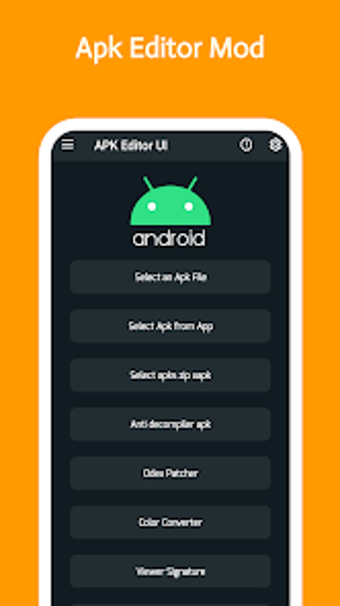
Navigating the app is pretty straightforward. Once installed on the device, you will see the suite of editing options at your disposal. For each action, you'll be given an option for Full Edit or Simple Edit. Make your desired changes and tap on the Save button once done. It's important to always back up the apps you intend to edit in case something goes wrong.
While using the APK Editor Community app can be quite useful, it's crucial to consider a few key points to avoid trouble. First, when you alter APK files, you could potentially violate the terms of service agreements with app developers. Moreover, tweaking APK files means you might strip away some of the built-in safety features, leaving the app open to attacks from viruses and hackers.
Comes with legal and security considerations
In conclusion, apk editor community offers users expansive control over their apps through its editing capabilities. It allows users to tailor app functions, aesthetics, and permissions, aligning their mobile experience closely with personal preferences. While it unlocks significant customization potential, users must also navigate the ethical and security implications of modifying APK files, ensuring they respect developer terms and maintain app integrity to avoid vulnerabilities.